

1. RoomPlay: browser games like Jackbox in one catalog

RoomPlay is the closest fit for groups that want the familiar shared-screen rhythm without buying a bundle or moving between separate apps. It puts several party mechanics in one browser catalog and lets the host change the mood without teaching a new joining process.
The strongest matches are Quiplash-style prompts, Fibbage-style bluffing, Drawful-style sketches, and meme captions. Players write, draw, choose, or vote privately on their phones; the main screen handles prompts, reveals, and scores. Quiz and Family Feud are safer openers for a new or mixed-age group. The range is useful, but the host still has to match the mechanic to the room: a shy work team may enjoy survey guesses and freeze when asked for punchlines.
- Best for: mixed groups that want several Jackbox-style formats in one place.
- Setup: the host creates a room and shares a link, QR code, or room code.
- Strongest feature: private phone input followed by a shared reveal.
- Watch for: prompt comedy works better after a low-pressure warm-up.
2. Gartic Phone: free games like Jackbox for drawing
Gartic Phone turns the children’s game Telephone into a drawing chain. One player writes a sentence, the next draws it, another describes the drawing, and the cycle continues until the final recap exposes how far the idea has drifted.
Unlike Drawful, it makes every misunderstanding part of a longer story instead of asking the room to identify one sketch. Weak drawing is an advantage: a missing detail gives the next player room to misread the prompt. It works especially well beside a remote voice call, but the recap is the main event and grows longer with the lobby. Leave time for reactions rather than rushing into another round.
- Best for: friends who enjoy bad drawings and escalating misunderstandings.
- Setup: open the browser game, invite the group, and keep a voice call running remotely.
- Strongest feature: every player contributes to several evolving chains.
- Watch for: the final recap gets slower as the lobby grows.
3. Kahoot!: custom group trivia on a shared screen

Kahoot! is the practical choice when the host wants a live quiz rather than improvised jokes. Questions appear on a shared display, players answer from their own devices, and the leaderboard gives the session a game-show pace.
Its advantage is authorship. A birthday quiz can use childhood photos; a team social can use harmless company history; a family round can mix generations. Ready-made quizzes save time, but tailored questions are usually more memorable. The tradeoff is preparation: the host needs an account, an accurate quiz, and sensible timers. Short timing suits factual recall; pictures and wordplay need room for discussion.
- Best for: custom trivia, birthdays, classrooms, and structured team socials.
- Setup: the host selects or creates a quiz and shares the game PIN.
- Strongest feature: familiar quiz rules with immediate phone participation.
- Watch for: preparation time and plan-dependent player or feature limits.
4. Keep Talking and Nobody Explodes: cooperative pressure
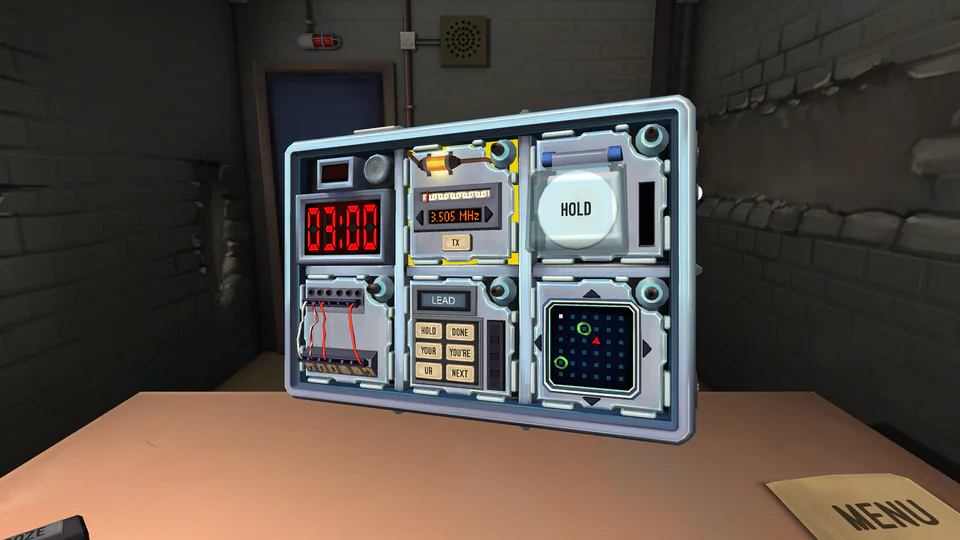
Keep Talking and Nobody Explodes abandons voting and puts the whole group on one team. One player can see a virtual bomb; the others have the defusal manual but cannot see the device. The only bridge is precise conversation under a countdown.
It is not a close mechanical copy of Jackbox, but it creates the same shared spectacle. The operator describes wires, symbols, and modules; the experts translate the manual into instructions. It works best with a smaller group that enjoys pressure. For remote play, protect the information split: only the operator sees the bomb, while experts keep the manual. One copy is enough for local play.
- Best for: cooperative groups that like communication puzzles and a real timer.
- Setup: one game copy, one bomb operator, and the free manual for everyone else.
- Strongest feature: asymmetrical information gives every spoken instruction weight.
- Watch for: time pressure can exhaust guests who wanted a relaxed social game.
5. Use Your Words: comedy writing for party groups

Use Your Words is the most direct choice for people who want more Quiplash-style writing. Players use phones or tablets as controllers and complete punchlines across four mini-games built around subtitles, blanks, photo captions, and rapid survey answers.
The work happens in private and the payoff happens together, so a player who dislikes performing aloud can still write a line. A host machine must run the paid game; remote guests need a clear stream of the main screen and audio. Family Mode helps with mixed company, but the included content is English-only. The extra setup is less immediate than a browser room, while the four dedicated formats provide stronger comic direction than a generic prompt generator.
- Best for: close friends who enjoy writing punchlines and judging each other’s answers.
- Setup: run the host game, then let players enter answers on browser-enabled devices.
- Strongest feature: four formats vary the kind of joke without changing the controller flow.
- Watch for: English-only content and a tone that may need Family Mode.
6. What the Dub?!: improvised movie dialogue

What the Dub?! shows a clip from an old B-movie, public-service film, or industrial video with a line of dialogue removed. Players write a replacement on a phone, tablet, or computer, then the game reads each dub over the footage and the room votes.
The footage supplies comic timing that a blank prompt cannot, and text-to-speech keeps the writer anonymous until the vote. That gives hesitant improvisers a clear target. The narrow format creates a strong movie-night identity but less variety than a party pack. Remote play needs screen sharing with sound, so test the clips before guests join rather than troubleshooting during the first round.
- Best for: movie fans, improvisers, and groups that like short written jokes.
- Setup: run the host game and share the main screen with audio for remote players.
- Strongest feature: submitted lines are performed inside real film clips.
- Watch for: the concept is intentionally specific and less varied than a multi-game catalog.
7. Codenames Online: strategic team wordplay

Codenames Online is the quietest game on this list. Two teams study a grid of words while their spymasters give one-word clues that should connect several friendly agents without pointing toward the opposing team or the assassin.
It replaces Jackbox’s private reveals with open debate but keeps the low-hardware promise: create a browser room, share the URL, and use a call for conversation. Choose it when the group wants strategy rather than constant punchlines. The risk is quarterbacking, so rotate who speaks first or ask each teammate to explain one possibility before the final guess.
- Best for: word-game fans, thoughtful teams, and remote calls with good conversation.
- Setup: create the browser game, share the room URL, and divide into two teams.
- Strongest feature: one clue can trigger several plausible interpretations.
- Watch for: dominant players can crowd quieter teammates out of the discussion.
8. AirConsole: use phones as arcade controllers
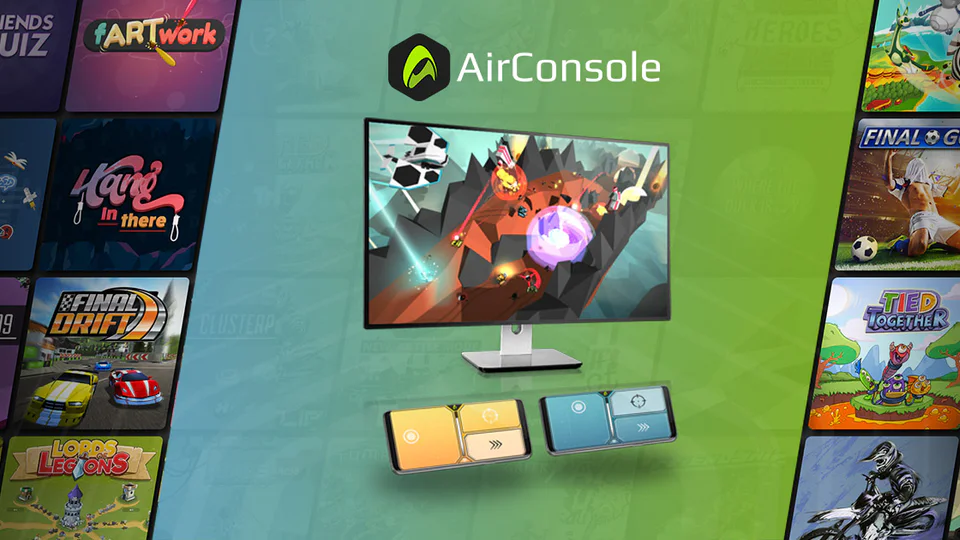
AirConsole keeps the shared-screen-and-phones setup but applies it to an online console catalog. The main game runs on a browser or compatible display, and each smartphone becomes a controller with buttons, touch areas, or motion input.
It suits groups that like Jackbox’s accessibility but want racing, arcade competition, or cooperative action without buying gamepads. The catalog is broad, so choose two or three games in advance and confirm their player requirements. Responsiveness depends on a stable local network: a voting game can tolerate a delayed tap, while a racing game cannot. Test the display, Wi-Fi, and first controller before the party.
- Best for: groups that want arcade variety without buying several controllers.
- Setup: open the host screen, connect phones, and launch a preselected game.
- Strongest feature: smartphones act as dedicated controllers for a large catalog.
- Watch for: action games expose weak Wi-Fi and controller lag immediately.
9. Among Us: online social deduction for groups
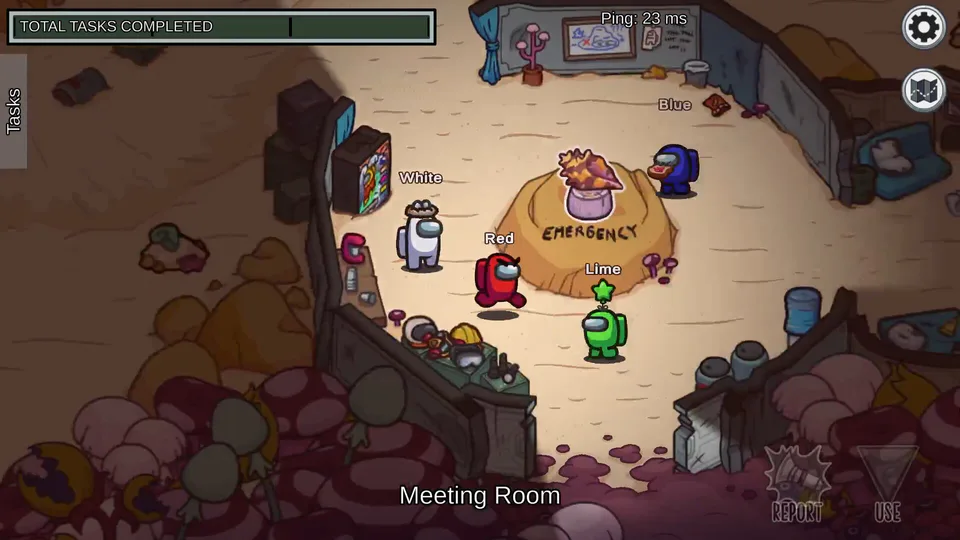
Among Us is the furthest mechanical departure here, but it solves the same social problem for remote groups. Players complete tasks while hidden impostors sabotage the match, and emergency meetings turn suspicion into accusation, defense, and votes.
Unlike a host-led prompt game, everyone controls a character between discussions. The funniest moments are unscripted: an implausible alibi or a confident vote against an innocent player. Agree when voice chat is allowed so eliminated information does not break the game. It suits friends who accept installs, controls, deception, and elimination; for newcomers, run a short orientation round before treating the result seriously.
- Best for: remote friend groups that enjoy bluffing, accusation, and active play.
- Setup: every player joins the same lobby and follows agreed voice-chat rules.
- Strongest feature: social deduction creates stories without authored prompts.
- Watch for: installs, controls, and elimination make it less inclusive than a browser party room.
RoomPlay modes to try after this list






How to choose the right group party game
- Decide whether the group wants comedy, knowledge, drawing, cooperation, wordplay, arcade action, or social deduction.
- Remove any option that requires hardware, installs, preparation, or language support your players do not have.
- Choose a low-pressure opener and test the host screen, room link, audio, and first controller before inviting everyone.
- Run one practice round, then move into the more creative or competitive game while attention is high.
- Stop or switch formats after a strong reveal instead of stretching one mechanic until it becomes repetitive.
Frequently asked questions about online group party games
What is the closest overall alternative to Jackbox?
RoomPlay is the closest browser-first option on this list because it combines prompt comedy, bluffing, drawing, memes, trivia, and survey guessing in one catalog. Players use their own devices while a shared view handles prompts, reveals, votes, and scores.
What are the best free games like Jackbox?
Gartic Phone is a strong free choice for drawing and writing chains, while Codenames Online works well for team wordplay. RoomPlay offers a free starting path across several browser party formats. Check current limits before the event because free tiers and catalog access can change.
Do all players need to buy or install a game?
No. Browser-first options let guests join by link, QR code, PIN, or room code. Host-purchase games such as Use Your Words, What the Dub?! and Keep Talking and Nobody Explodes require more setup, while Among Us expects every active player to have access to the game.
Which Jackbox alternatives use phones as controllers?
RoomPlay uses phones for private answers, drawings, choices, and votes. Kahoot! uses player devices for quiz answers, Use Your Words and What the Dub?! accept text from browser-enabled devices, and AirConsole turns smartphones into controllers for its game catalog.
Can these games be played with remote friends?
Yes. Keep a voice or video call open for conversation, share only the public host view, and send a clickable join link when possible. Games with video or audio, especially What the Dub?!, need screen sharing with sound; Codenames Online and Gartic Phone work well beside a simple voice call.
Which alternative is best for a large group?
Quizzes, surveys, and simultaneous voting scale better than turn-based action. Kahoot! is practical for a prepared large-group quiz, while RoomPlay can keep more people active through prompt, trivia, and survey formats. Always confirm the current player limit of the exact mode before inviting the audience.
Which game is best for coworkers?
Start with neutral trivia, survey guessing, Codenames Online, or a custom Kahoot! These formats create discussion without asking colleagues to perform intimate comedy. Use creative prompts only when the team already knows one another and the host has checked the content and boundaries.
Do you need a smart TV or console?
No. A laptop, tablet, projector, or shared browser window can serve as the main display for most games on this list. A larger screen improves group reactions, but the essential requirement is that everyone can see the prompt or reveal and reach their own input device.
How should a host choose the first game?
Match the opening round to the least confident player, not the loudest one. Trivia, survey guessing, or Codenames gives a mixed group clear rules. Save punchline writing, aggressive competition, and social deduction until everyone understands the setup and is willing to participate.
Ready to play online group party games?
Open a RoomPlay room for a fast shared-screen game, or browse the catalog and match the mechanic to your players.