


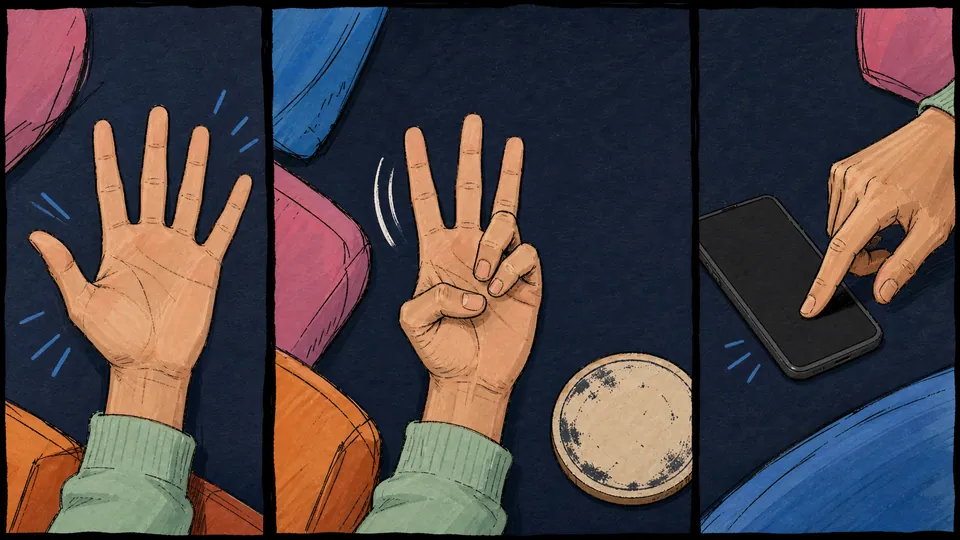
Never Have I Ever is a party game built around short statements and honest reactions. Everyone starts with five fingers raised, the phone shows one statement, and anyone who has done it folds a finger.
A browser keeps that whole flow moving. There is no deck to shuffle and no three-page rulebook hiding in the box.
Quick answer
What is Never Have I Ever?
The Never Have I Ever game is a social icebreaker. A statement describes something a person may or may not have done, and the group responds by keeping a finger up or folding one down.
The point is not to prove who has lived the wildest life. The fun comes from the tiny reactions: somebody folds a finger instantly, two friends stare at each other, and the room suddenly wants the story.
The mechanic stays simple. One device shows the prompts, so the group can start without creating teams, assigning a host, or passing out cards.
What a browser version includes
A useful mix moves from harmless everyday moments to more personal territory. Keep the first round easy, then let the group choose whether to go deeper.
Try statements such as “Never have I ever sent a message to the wrong chat”, “Never have I ever pretended to understand a joke”, or “Never have I ever danced while waiting for the kettle”. The specific confession matters less than the story it unlocks 🙂.

Five-finger rules
How to play Never Have I Ever
The five-finger version takes about a minute to explain. Yes, counting to five is the advanced setup.
- Put one phone where everyone can see it.
- Each player raises five fingers.
- Open a statement and read it aloud.
- Anyone who has done it folds one finger. Everyone else keeps their fingers up.
- Tap the card for the next statement.
What happens when all five fingers are down?
The onboarding offers a random punishment when a player folds all five fingers. Treat that button as an optional extra, not a contract signed in blood.
A round also works without the punishment. You can end it, reset the fingers, or keep reading prompts because the conversation has become better than the score.
Alcohol is not required. Fingers already handle the game state, which is convenient for mixed groups, designated drivers, and anyone who simply does not want a drinking game.
Browser play
Play Never Have I Ever online in your browser
You can play Never Have I Ever online by opening the game in a browser. At an in-person party, place one phone in the middle and let the group share it.
The same setup can work on a video call. One person opens the cards and reads each statement aloud, or shares the browser window so everyone sees the prompt together.
Keep the call for reactions and stories. Let the browser handle the cards and pacing.
One shared phone keeps setup short
Not every party needs six devices, a room code, and one friend doing emergency Wi-Fi support. A shared screen is often enough when everyone is already sitting together.
The game opens directly in a browser. The group can move from “what should we play?” to the first statement without installing a separate app.
That keeps the attention on the people instead of the setup.

Question packs
Choose a question pack that fits the group
Think in tones rather than labels: light warm-ups, bolder party prompts, and personal questions for groups that already trust one another.
Start with “Never have I ever missed a train” or “Never have I ever eaten dessert before dinner”. If everyone is laughing and adding stories, try a more revealing question. If the room goes quiet, step back. Easy.

Good party etiquette
Keep the round fun instead of awkward
Never Have I Ever works because a tiny answer can lead to a great story. It stops working when every folded finger becomes a courtroom cross-examination.
Give everyone permission to pass. A player can leave a finger where it is, skip the explanation, or ask for the next statement.
A good hypothetical exchange is wonderfully boring: “Skipping that one.” “Cool. Next card.”
That two-line rule prevents a lot of unnecessary chaos.
Keep personal packs opt-in
Before moving into personal prompts, check that the group wants that tone. A house party can include close friends, coworkers, new partners, and somebody's roommate who came in looking for a phone charger.
Do not require details after someone folds a finger. If a person volunteers a story, great. If not, the next card is one tap away.

Round length
How long should Never Have I Ever last?
The browser flow does not ask you to set a timer or enter a player count. The group controls the pace.
For a warm-up, try eight to twelve statements as a test round. That gives everyone time to learn the mechanic and see whether the prompts are opening a conversation.
Keep going if the room is engaged. Stop if answers become automatic, people start checking other apps, or the discussion is clearly more interesting than the next card.
End while people still want one more
A party game does not need a dramatic final boss. Sometimes the best ending is somebody saying, “Wait, that reminds me of something,” and the whole group abandoning the score for a better story.
Reset the fingers for another round, switch packs, or move to a different game. The tool should follow the room, not hold it hostage.

What to play next
More Never Have I Ever questions and party-game options
If the group wants a long list organized by tone, use the dedicated question guide. It keeps question-list intent separate from the playable page, so you can browse ideas without interrupting the game flow.
For more in-person options, the one-phone, icebreaker, and house-party collections stay close to the same low-setup mood. They add word games, bluffing, and quick group formats.
On a video call, one person can keep reading Never Have I Ever prompts or share the browser window. If the group wants other remote formats later, the online party games collection has more ways to keep the call moving.
- Never Have I Ever questions — Browse a longer list organized by tone.
- One-phone party games — Keep setup simple for an in-person group.
- Icebreaker games — Warm up a group that is still getting comfortable.
- House party games — Mix in word games, bluffing, and quick group formats.
- Online party games — Find more formats for a remote group.